The easiest way to plan — and do — any home project.
ChatGPT, Claude, and Gemini give great advice. Connect ZenHome and they can actually act on it — a real plan, real local pricing, and a vetted pro who’s ready to start. Not just a conversation.
Works with the AI you already use
Already use an assistant every day? Start on your page.
Why connect ZenHome
Your AI can talk about your home. ZenHome lets it act.
On its own, an AI gives you a smart answer and a to-do list. ZenHome gives it hands — so the conversation ends with a real plan and a pro, not another tab to close.
- –Generic advice from the open web
- –Ballpark numbers that may be years out of date
- –“You should probably call a contractor”
- –Forgets your home the moment you close the tab
- ✓A real, scoped plan for your actual property
- ✓Pricing grounded in real, recent local jobs
- ✓A vetted pro — already briefed and ready
- ✓Remembers your property, systems, and history
What your AI can now do
Real capabilities, not just answers.
Scope it
Turn a vague idea into a real, line-item plan for your actual home.
Price it
A real budget grounded in what jobs actually cost in your area — not a guess.
Find a pro
Match with a vetted local pro who gets the full brief up front.
Schedule it
Book the walkthrough or the work without leaving the chat.
Stay in the loop
Message your project team and track status as the job moves.
Know your home
It remembers your property, systems, and history — not just this tab.
Try asking
Not sure what to say? Start here.
Talk to your AI the way you’d talk to a contractor who already knows your home — it reads your projects, your timeline, and your property, and messages your team when you say so.
Just exploring a project? Start here.
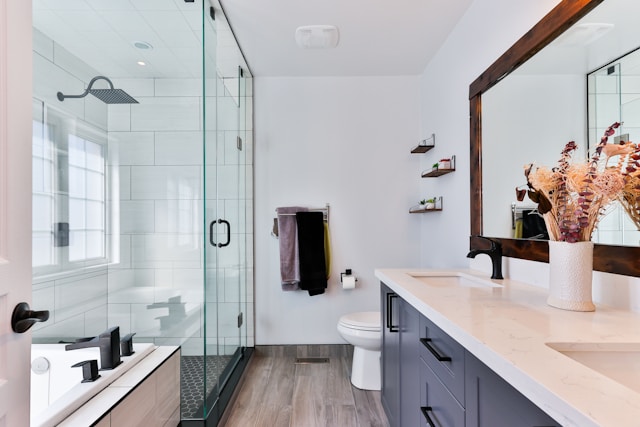
“I want to redo my primary bathroom, ~$25k, this summer — what should I know about my house first?”

“Could my 1920s house handle an open-concept kitchen? What would it take?”
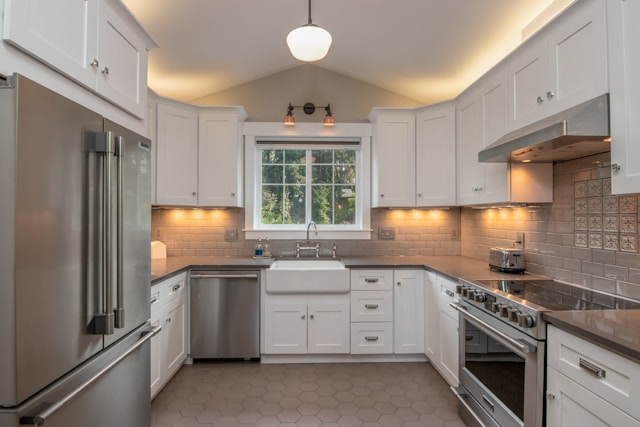
“I’m dreaming about a kitchen remodel — help me scope it and ballpark the budget.”
Already a ZenHome customer? Just ask.
“What’s the status of my kitchen remodel, and what happens next?”
“Who’s coming to my house this week, and what time?”
“Show me all my projects and which ones are still open.”
“Tell my project team I’d like to add a tile backsplash — have them update the quote.”
“Do I need a permit for this bathroom reno? What’s my home’s permit history?”
Any size, any trade
If it’s a home project, ZenHome can get it done.
- Kitchen remodel
- Bathroom reno
- Deck & patio
- Interior painting
- Roof replacement
- Doors & windows
- Plumbing fix
- Electrical upgrade
- Landscaping
- Basement finish
- HVAC swap
- …and the weekend fix
JUST A PHONE CALL AWAY
One phone number for any home project



Simple projects get done fast. Complex ones get managed so you don't have to. ZenHome coordinates everything — and our local experts give you access to skilled tradespeople you won't find on your own.
What homeowners say
Real reviews from Rhode Island and Massachusetts homeowners who've worked with ZenHome.
Highly recommend ZenHome! Fair pricing, top-quality work, punctual, and very professional. They replaced my basement stair posts, and the carpentry was 10/10. I am extremely happy with the results and will use them again for future projects.
I own several apartments and today the bolts that hold the toilet tank to the base of the toilet rotted out and water leaked into the commercial space below. ZenHome came out within an hour, diagnosed the issue, got the parts, replaced ceiling tiles below and cleaned up. Great job and quick!
Had all new interior doors put in. They came out, measured and gave me a quote. They were very good at communicating throughout the entire project. The final product looks amazing and has really elevated our home.
Responded to request on a Sunday and had issue resolved by 2pm the next day. Transparent and reasonable rate.
Connect once · about a minute
Add ZenHome to your AI app.
No app to install, no password to create. Pick your app and follow four short steps.
- 1
Start on a computer
Use the Claude desktop app or claude.ai in a browser. The Claude phone app can’t add a new connector yet — once it’s set up here it shows up on your phone by itself.
- 2
Add ZenHome
Open Connectors, click the + (or “Browse”) in the top right, choose “Add custom connector,” and paste the address below. It won’t be in the list already — ZenHome is a custom connector, so you add it by address.
- 3
Sign in with your phone
Claude hands you to ZenHome to approve. No password — just the phone number on your account and a 6-digit text code.
- 4
Ask your first question
Back in Claude, ZenHome shows as connected. Ask it to plan a project or check on one.
On a Team or Enterprise plan, an Owner enables it once for everyone — add it org-wide. Everyone still signs in as themselves.
Connecting to Claude · Connectors → + / Browse → Add custom connector → paste https://zenhome.ai/api/mcp
Built to be safe by default
Your home. Your data. Your call.
Read-first by default
Checking status, your timeline, and home facts changes nothing.
You approve every action
Anything that sends a message or books work waits for your OK.
Only ever your home
The connection is scoped to your account — never another customer’s.
Stop planning in a chat window. Start doing.
Create a free ZenHome account, connect your AI, and turn your next idea into a real plan and a pro.